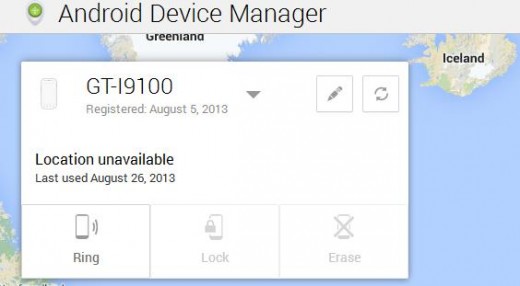
Almost two months after Google first started rolling out its phone-finding service Android Device Manager, the company has finally started switching on remote locking.
This is a much needed addition to the service, which thus far has let you ring your handset, locate it on a map and completely erase it.
Now, if you’re not wishing to delete data on your phone – presumably because you have high hopes of getting it back – you can action the locking feature and then override it with a passcode when you get your hands on it again.
You should now see a new ‘Lock’ button in the Web interface, which will have to be activated by visiting the Google Settings app on your handset.
➤ Android Device Manager [via Android Police]

via http://feedproxy.google.com/~r/TheNextWeb/~3/a__iq0VucnY/

No comments:
Post a Comment